 Hakus Radio
What it does
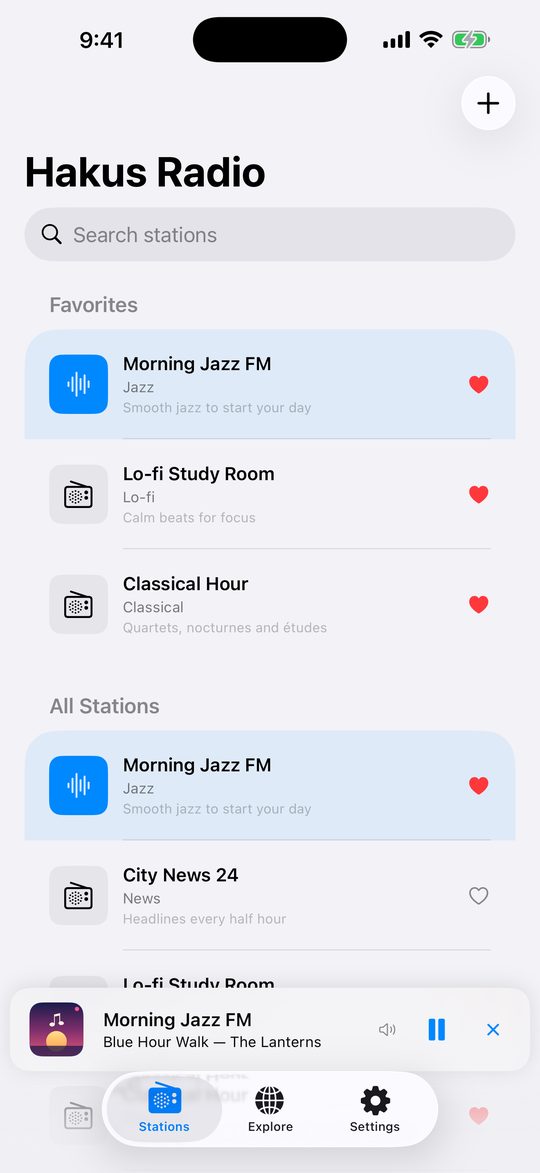
Your stations, your way
Keep a list of live streams with favourites at the top and a history of what was playing. Playback continues in the background, with controls on the lock screen or in the notification.
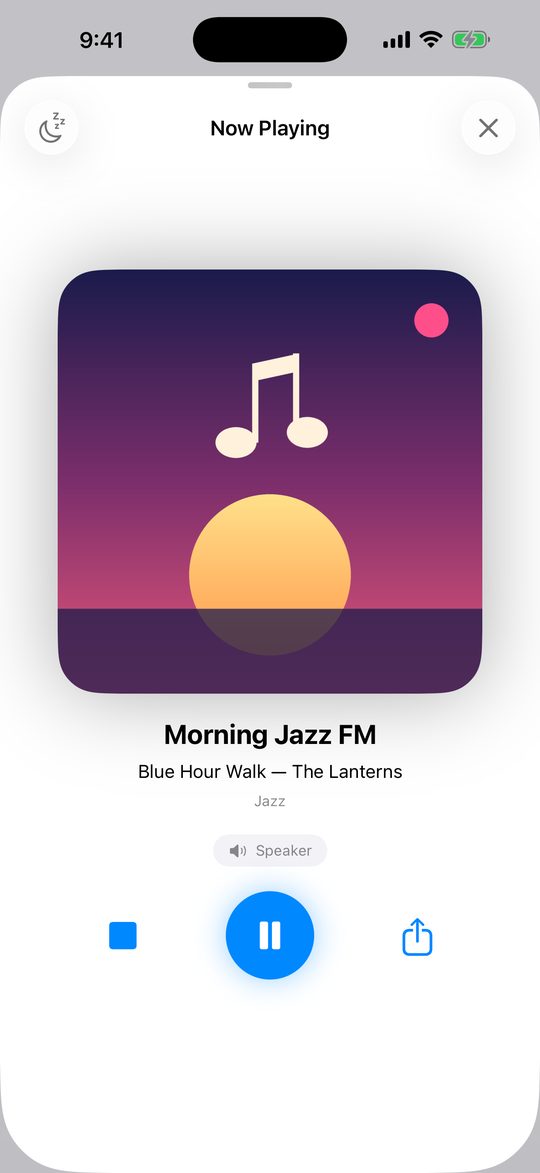
Plays live, sleeps on schedule
A clean player for the stream you picked, plus a sleep timer that stops playback after the time you set.
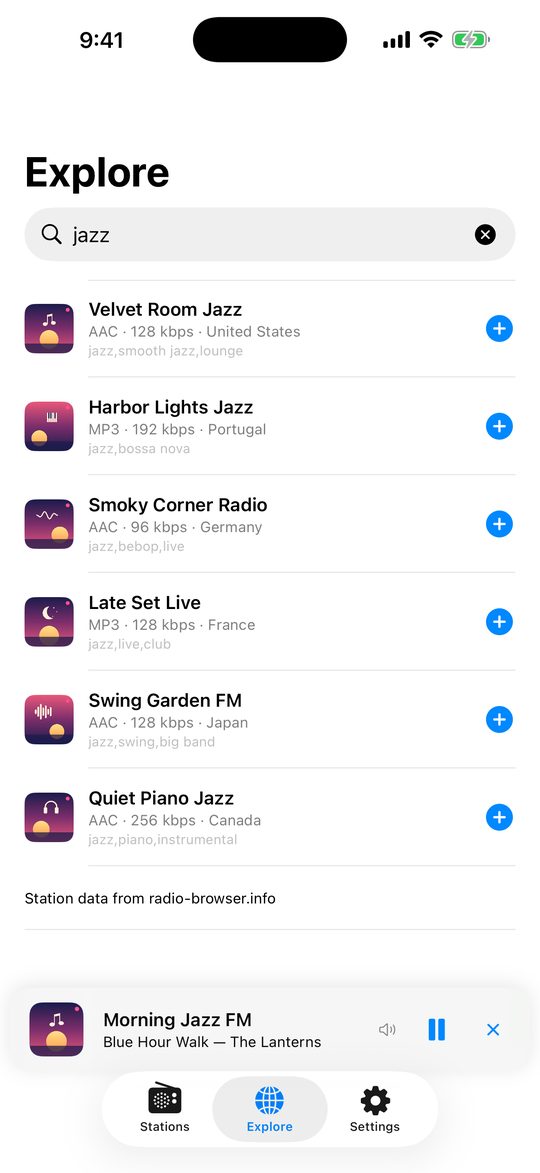
Explore the open directory
Search the open Radio Browser directory (radio-browser.info) by name or genre and add what you like with one tap.
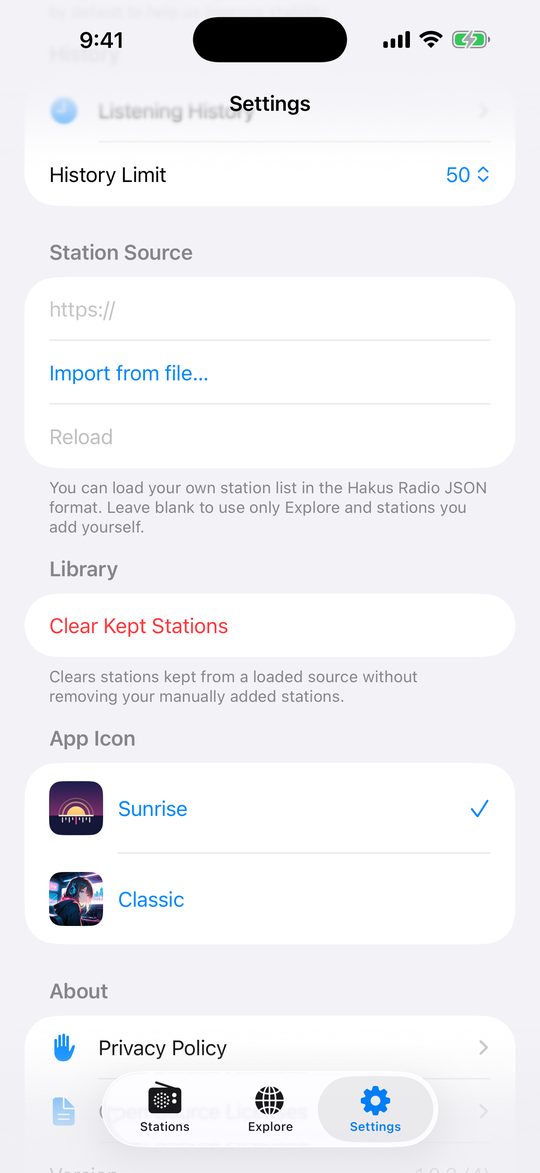
Bring your own list
Add a stream URL by hand or import a station list from a web address. Your list, your rules.
Screenshots show the iPhone app with demo stations. Hakus Radio only plays streams that broadcasters make publicly available. It does not host, record or download audio.
iPhone and Android
One product on two platforms. Most things are the same; here is what differs, checked against the apps.
Same on both: Add a stream URL manually · import a station list from a URL · search the Radio Browser directory in Explore · live background playback with lock-screen / notification controls · favourites and listening history · sleep timer · choose the app icon (Sunrise or Classic) · no account · banner ads.
| Feature | iPhone | Android |
|---|---|---|
| Import a list from a file | Yes (JSON file) | Not available |
| Scan a QR code to add a stream | Yes | Not available |
| Starting station list | Empty. You add every station. | Includes a starter station list |
| Explore | Search only. Nothing is listed until you search. | Search, and shows popular stations when the search box is empty |
| Report a station | Yes, “Report station” in Explore | Not available. Write to contact@hakus.cc |
| Wear OS companion and home-screen widget | Not available | Yes |
| Ads | Banner ads, non-personalised, no tracking | Banner ads; asks for ad consent where the law requires it |
| Where to find import and icon settings | Settings, and onboarding for the station list | Settings (station list URL, App icon) |
Station list format
What does a station list file look like?
A station list is a JSON file with a version and a stations array. Host it anywhere you like and give the app its web address, or (iPhone) pick the file. This minimal example is accepted by both apps:
{
  "version": 3,
  "stations": [
    {
      "id": "my-station",
      "name": "My Station",
      "status": "online",
      "streams": [
        { "url": "https://example.com/stream.mp3" }
      ]
    }
  ]
}
Each station needs id, name and a streams array with at least one url. Differences: on iPhone, status must be "online" (stations without it are skipped); Android treats a missing status as online. Android rejects files with a version above 3, and iPhone treats a missing version as an older format, so always write "version": 3. Stream URLs must be http or https. Optional fields such as genre, description, website_url, logo_url and bitrate_kbps are accepted; unknown fields are ignored.
Support and FAQ
How do I add a station?
Tap the + button on the Stations tab and enter the stream URL (iPhone can also scan a QR code). You can also search Explore, or import a whole list from a web address in Settings.
Why is my list empty on iPhone?
On iPhone the list starts empty on purpose: nothing is pre-installed, so every station is one you added. Use Explore to search, add a stream with the + button, or set a station source in Settings. Android includes a starter station list.
How do I report a station that shouldn’t be listed?
Write to contact@hakus.cc with the station name. On iPhone you can also tap “Report station” in Explore. Hakus Radio only plays streams that broadcasters make public and does not host them.
Does it record or download audio?
No. Hakus Radio only plays streams live. It does not host, record or download audio.
Do I need an account?
No. There is no account and no sign-in. Your stations, favourites and history stay on your device.
How do I change the app icon?
Open Settings and choose the app icon: Sunrise or Classic.
Questions, bug reports or a station removal request? Write to contact@hakus.cc.